
Lately, I’ve successfully self-hosted a decent private chatbot and even run a near real-time voice-to-text model locally. So I thought: why not try running a local coding model? I have a pretty decent gaming rig, so it should be able to handle it, right?
Well, it turns out: not really. I spent the whole weekend trying to set up a local coding model and ran into a pile of issues. The models are huge and hungry. Even with my gaming rig, I was barely able to get it running, and it was extremely slow. I ended up dealing with more technical issues than coding tasks.
The recently released Qwen3-Coder-Next seemed quite promising, so I tried to run it on an RTX 5090 (32GB VRAM) with 96GB of system RAM. The model is designed to run on at least 48GB of VRAM, so I had to use a 2-bit quantization version to make it fit. (I used the 2-bit “XL” version from unsloth/Qwen3-Coder-Next-GGUF; “XL” refers to the quantization block size – essentially, larger blocks mean fewer compression artifacts).
Theoretically, this requires around 30GB of VRAM. However, if we account for the VRAM used by the OS and the need for a large context window for coding tasks to be effective, this exceeds the video card’s limit and leads to terrible performance.
Running Qwen3-Coder-Next was painful. It runs at a usable ~50 tokens/s while entirely in VRAM, but as soon as it spills to system RAM, the speed plummets to < 5 tokens/s. This made the generation process agonisingly slow, bordering on unusable. Just processing the prompt took forever, let alone generating code.
But how do you get it to run?#
Your gaming PC is probably running Windows 11, so the easiest way to get started is LM Studio, a user-friendly interface for running local models. It supports CUDA acceleration out of the box and has a server mode to expose the model via an API. It now even supports the Anthropic messages API, so you can use it as a backend for Claude Code if that’s your tool of choice.
Unfortunately, I found these open-source models pretty poor at dealing with PowerShell commands. You will have more success with bash, which means running your coding task on WSL.
Getting started is straightforward: install WSL and a Linux distro. Once you checkout your codebase and install Claude Code in WSL, you need to connect it to your LM Studio API. Open LM Studio, load your model (more on settings later), and start the server. Make sure you enable the “Serve on Local Network” option.
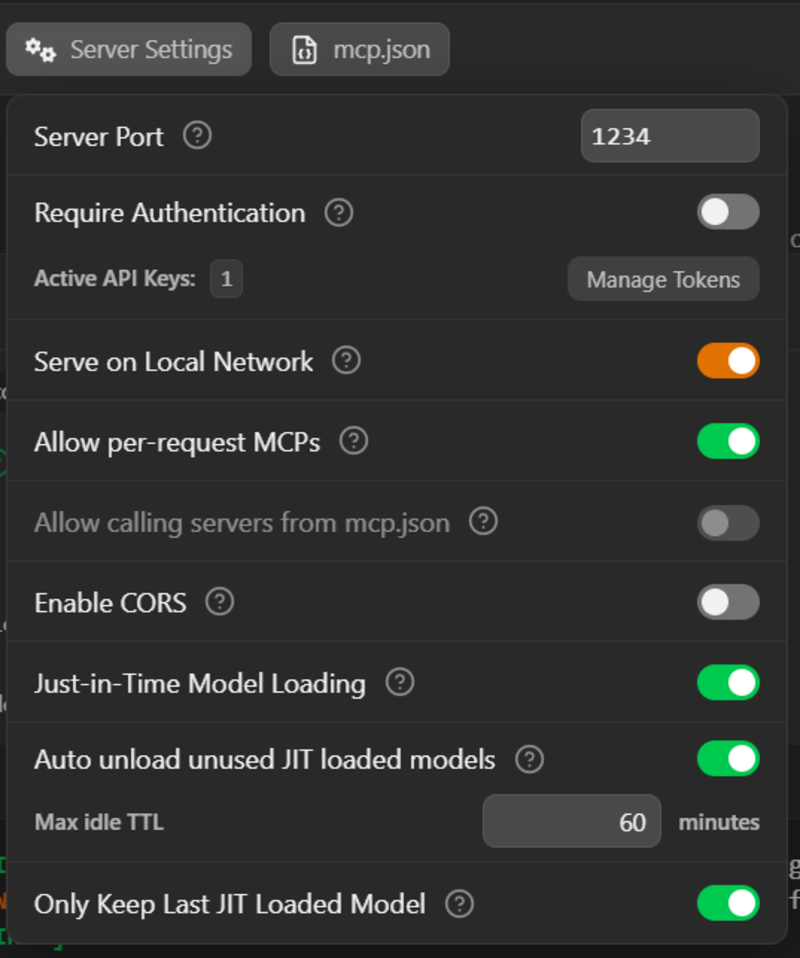
Then, in WSL, run ip route. You’ll see something like this:
default via 172.21.122.1 dev eth0 proto kernelThat will give you the IP address of your Windows host, in this case 172.21.122.1.
Note: This works for the default WSL networking mode (NAT). If you’ve customised your WSL setup (e.g., using Mirrored mode), you likely already know how to check your host IP or use
localhost.
So you can now set some environment variables to point to the LM Studio API and finally launch Claude Code.
Note you need to set the ANTHROPIC_AUTH_TOKEN to whatever you set as the API key in LM Studio, or a placeholder value if you didn’t set one. It needs to be set to something, otherwise Claude Code won’t use your local model. The model parameters in Claude Code don’t really matter either, as the integration to dynamically load models in LM Studio isn’t yet supported in combination with Claude Code.
You would then pick the model and load it into LM studio.
export ANTHROPIC_BASE_URL=http://172.21.122.1:1234
export ANTHROPIC_AUTH_TOKEN=foo
claude --model zai-org/glm-4.7-flash
How did I test it?#
I have a small personal project that I have been working on, and I wanted to see how well the local coding model would perform on it. I set up a simple task for it, which was to me more interesting than the usual ask to add a new feature to the project. It’s a .NET 9 API project, so pure C# however not really state of the art, so the ask was to add all the nullability handling to the project, and remove all sort of warnings, then suggest the top tech debt item to work on next, providing a motivation and an implementation plan (this second part feels to me like an interview style question… which is what I need as I am interviewing this model/setup 😄 ).
Finding the right settings#
It is crucial to change “Max concurrent predictions” to 1. Otherwise, when the coding tool runs multiple sub-agents, you will run out of VRAM immediately and performance will tank.
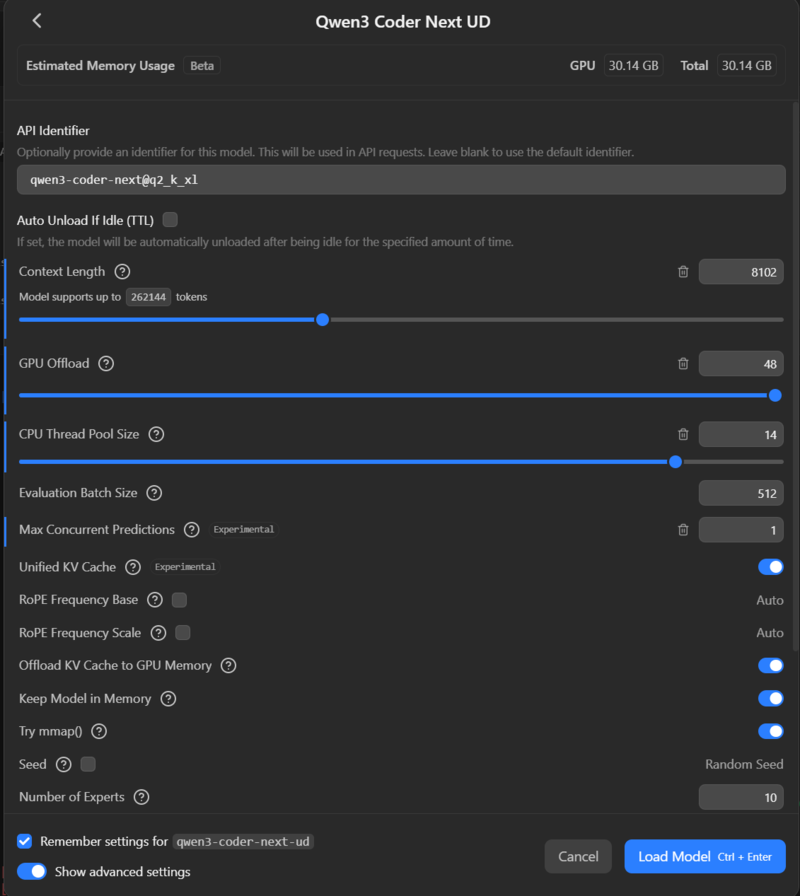
To fit Qwen3-Coder-Next 2XL on a 32GB GPU, I had to use a tiny 8k token context window. There are levers you can pull (offloading K/V cache to system RAM, different quantization levels), but generally, running a model of this class on a single gaming GPU yields terrible results.
A small context window leads to poor code awareness or “out of context” errors. You have to monitor the LM Studio logs closely. Claude Code specifically seems to expect a context window of at least 128k tokens. It doesn’t seem to understand when the context is full, so you need a window large enough for the whole interaction, or frequent /compact commands.
Because of the lack of proper feedback from the API, you often can’t even assess the size of the context or when you’re hitting limits until you spot errors in the logs.
Trying a smaller model: GLM-4.7-flash#
Switching to a smaller model like GLM-4.7-flash (designed for 16GB VRAM) allowed me to use a 128k token context window. It fits nicely in VRAM even with the large context, keeping the GPU pinned at 100% utilisation (~300W). It generates tokens much faster… but “faster” doesn’t mean “smart”.
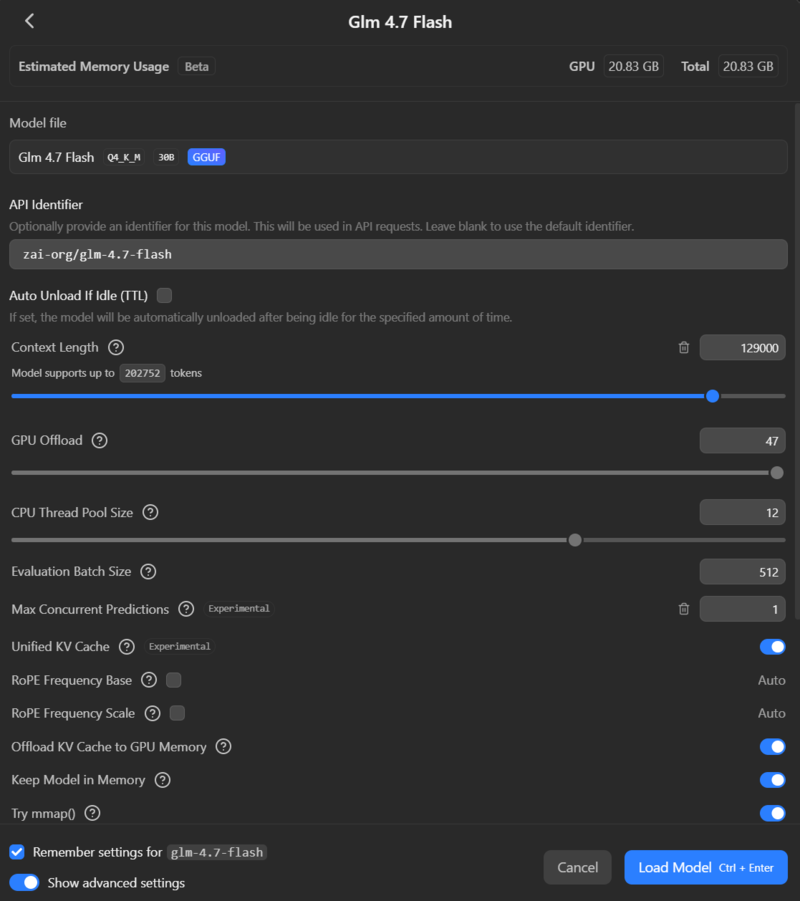
Even with GLM, I was seeing < 100 tokens/s. It took multiple minutes just to plan the task. In one run, GLM spent 6 minutes just “thinking”, burning through 32k tokens only to produce a plan to collect warnings.
| Model | VRAM Req | Token Speed | Context Window | Stability |
|---|---|---|---|---|
| Qwen3-Coder-Next (2-bit) | ~30GB+ | < 50 t/s | 8k (Tiny) | Unusable 🛑 |
| GLM-4.7-Flash (4-bit) | ~16GB | < 100 t/s | 128k (Good) | Slow but stable ⚠️ |
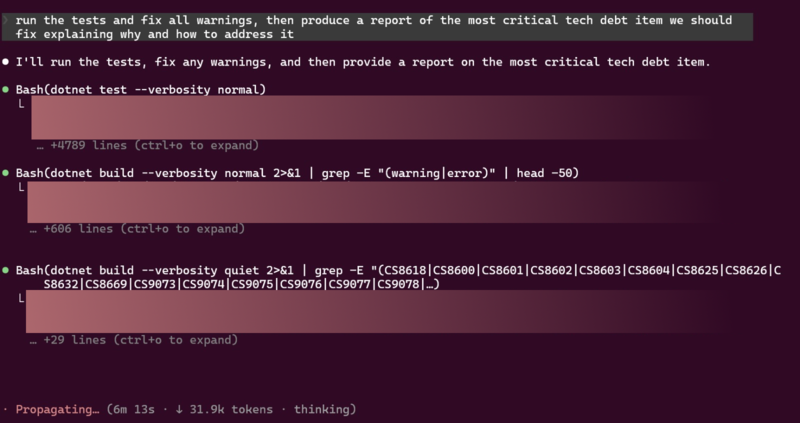
On my .NET codebase, GLM initially hallucinated that it was a NodeJS project (though it corrected itself). It was clever enough to write bash scripts for repetitive changes, but they were often semantically incorrect: like trying to build C# files individually instead of building the solution.
When used with Claude Code, the model often got stuck in excessive “thinking” loops until it hit the token output limit and failed.

The Verdict#
Comparing the experience to a cloud-based setup, the difference is night and day.
To make local coding worth it, you’d need a dedicated rig with multiple GPUs (e.g., 3x RTX 3090s) running 24/7 on interesting projects to justify the electricity bill. Reusing a single gaming GPU just leads to frustration.
Take a look at this resource usage:
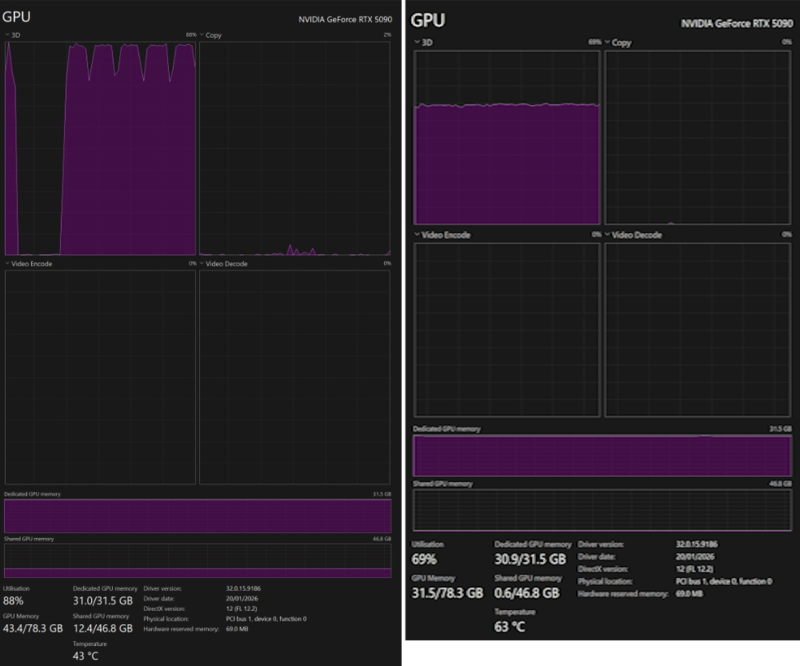
Left: VRAM is full, and usage has spilled into a significant amount of Shared GPU Memory (system RAM). But the GPU is happily crunching at 100%. Right: VRAM is full, and the GPU is slowing down at 60%.
Claude Code is also clearly optimised for Anthropic’s own models. You might fare better with tools such as OpenCode, which are more flexible with backends, but the hardware bottleneck remains.
An AI coding subscription is affordable. It gives you access to massive models (GPT-4o, Claude 3.5 Sonnet) that are smarter, faster, and don’t require you to debug quantisation settings. Let the cloud burn the watts while you actually write code… or play games on that fancy GPU. That’s what you bought it for, right? 😉 Those rubber ducks are not going to collect themselves.
Have you tried running local models for coding? Did you have a better experience? Let me know in the comments or hit me up on Twitter! I’d love to hear what setups actually work.
See you topside! 👋

If you didn’t get the ARC Raiders reference, check the game out. It’s really good! #notsponsored